

| Sales Center |
| (800) 626-0544 |
        |
| Service Center |
       |
| Contact Info |
      |
| General Info |
           |
|
|

|

|

| Microsoft IntelliMouse |
Revolutionary Technology—Unparalleled Performance
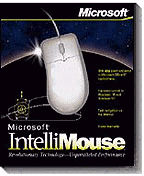 Scroll through Microsoft Word 97 documents quickly and easily by
pressing the Wheel while moving the mouse forward or
back. You can also move a few lines at a time simply by
rolling the Wheel. Reviewing long documents is easy with
the AutoScroll feature, which scrolls through your
document automatically at whatever speed you choose.
Scroll through Microsoft Word 97 documents quickly and easily by
pressing the Wheel while moving the mouse forward or
back. You can also move a few lines at a time simply by
rolling the Wheel. Reviewing long documents is easy with
the AutoScroll feature, which scrolls through your
document automatically at whatever speed you choose.
Features
| Scroll: Roll the Wheel
or press the Wheel and move the mouse to quickly scroll
through documents, spreadsheets and Web pages. Use the
AutoScroll feature to automatically scroll your text
hands-free! The CTRL key and the IntelliMouse Wheel combine for quick zooming action. Reduce or increase the size of your text in one simple step. |
System Requirements
To use Microsoft
IntelliMouse as a two-button mouse, you need one of the
following:
|
|
To use the Microsoft
IntelliMouse Wheel, you need:
|
     |
Disclaimer